Why Your Service Business Website Is Losing You Leads
Brandon Holt
March 19, 2026


Your website is open 24 hours a day, 7 days a week. It shows up in search results. People click on it.
And then they leave.
No call. No form submission. No lead.
This is the silent problem killing revenue for thousands of service businesses — a website that technically exists but functionally doesn't work. It looks fine on the surface. But something about it is quietly pushing potential clients away before they ever contact you.
The frustrating part is that most business owners don't know it's happening. There's no alert that says "you just lost a lead." There's just silence where phone calls should be.
This post breaks down the most common reasons service business websites lose leads — and what to do about each one.
The Website Is Not the Problem. The Design Is.
Before diving into the specific issues, one thing is worth saying clearly:
Having a website is not enough. Having a website that converts is the goal.
Most service business websites were built to exist — to have a web presence, to look professional, to check a box. Very few were built to generate leads. There's a significant difference between the two, and that gap is costing businesses real revenue every day.
Consider this: the average website conversion rate across industries is around 2–3%. For a well-optimized service business website, that number should be 5–8% or higher. If 1,000 people visit your site in a month and you're converting at 1%, that's 10 leads. At 5%, that's 50. Same traffic, five times the leads — just from a better website.
Let's look at why most service business websites sit at the low end of that range.
Reason 1: There's No Clear Call to Action Above the Fold
"Above the fold" refers to everything a visitor sees before they scroll. On most screens, that's roughly the top 600–700 pixels of your website.
This is the most valuable real estate on your entire site. It's the first thing every visitor sees, and most of them will make a decision about whether to stay or leave within seconds of landing.
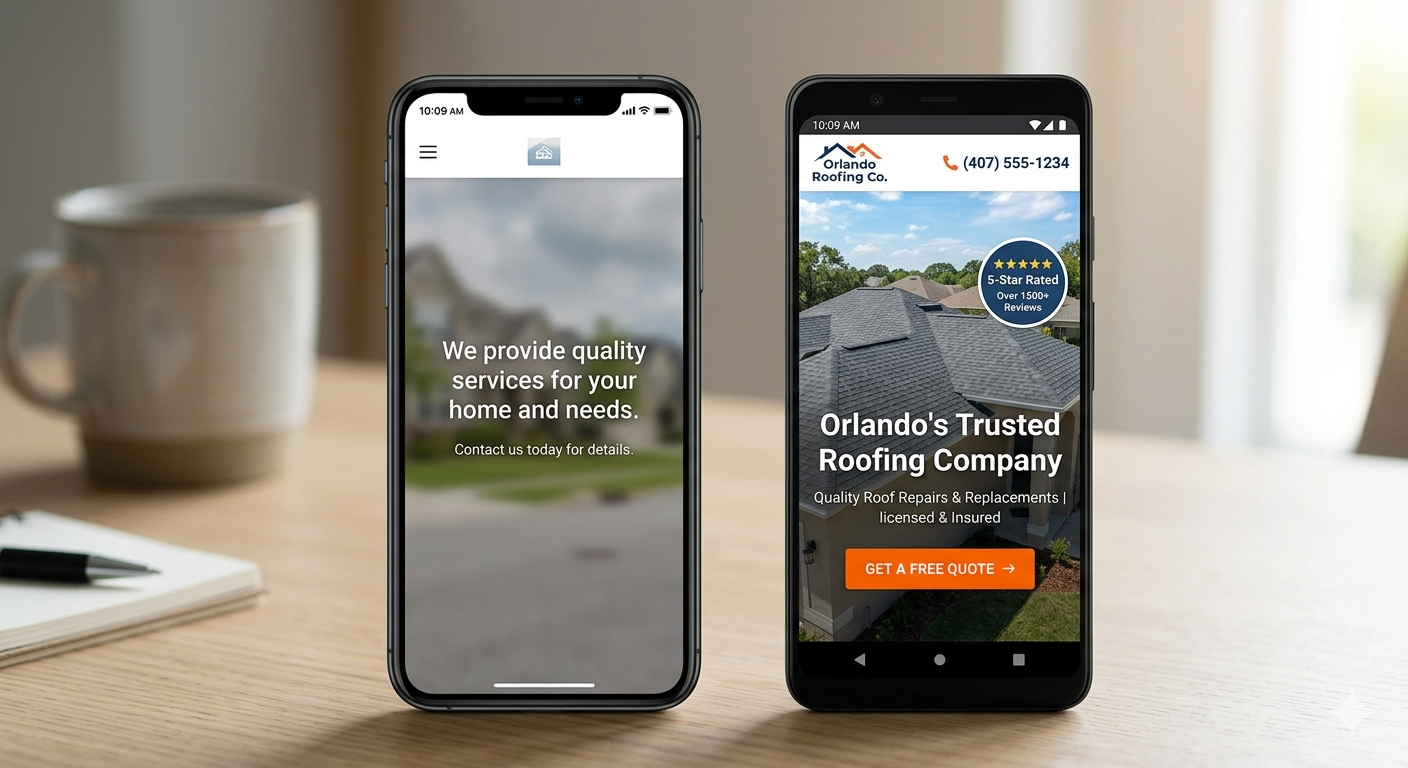
If your above-the-fold section doesn't have a clear, visible call to action — a phone number, a "Get a Free Quote" button, a "Book a Call" link — you're missing the window when visitors are most engaged.
What a strong above-the-fold section looks like:
- A headline that clearly states what you do and who you serve
- A sub-headline with a specific value proposition or differentiator
- A primary CTA button that's impossible to miss
- Your phone number visible in the header
- A trust signal — review count, years in business, certification badge
What kills it:
- A full-screen video with no text
- A beautiful hero image with a vague tagline like "Excellence in Service"
- A CTA buried below three paragraphs of company history
- No phone number visible until the contact page
Reason 2: Your Website Is Too Slow
Page speed is not a technical detail — it's a lead generation issue.
53% of mobile visitors abandon a website that takes more than 3 seconds to load. For every additional second of load time, conversion rates drop by an average of 7%. A website that loads in 5 seconds is losing more than a third of its potential leads before they even see your homepage.
Speed also directly affects your search rankings. Google uses Core Web Vitals — a set of performance metrics — as a ranking factor. A slow website doesn't just lose leads from bad UX. It ranks lower in search results, meaning fewer people find you in the first place.
Common speed killers on service business websites:
- Uncompressed images (the #1 culprit — a single photo can be several MB)
- Too many third-party scripts loading on every page
- No caching or CDN in place
- Cheap or shared hosting with slow server response times
- Bloated website builders or page editors
How to check your speed: Run your site through Google PageSpeed Insights. Anything below 70 on mobile is a problem. Below 50 is hurting both your rankings and your conversions significantly.
Reason 3: It's Not Built for Mobile
Over 60% of all web traffic comes from mobile devices. For service businesses specifically — where someone has a problem right now and needs a contractor immediately — that number skews even higher. Someone with a burst pipe isn't sitting at a desktop computer. They're grabbing their phone.
If your website is hard to use on a phone, you're losing the majority of your potential leads before they ever contact you.
What mobile problems look like:
- Text that's too small to read without zooming
- Buttons too close together to tap accurately
- Forms that are difficult to complete on a small screen
- Images that overflow or break the layout on mobile
- Phone number that isn't click-to-call
What good mobile design requires:
- Large, thumb-friendly tap targets for all buttons and links
- Click-to-call phone number in the header — always visible
- Short, scannable content — mobile users don't read walls of text
- Fast load time — mobile connections are often slower than desktop
- Forms with minimal required fields — every extra field reduces submissions
Reason 4: Your Messaging Is Too Vague
Visit almost any service business website and you'll find some version of this headline:
"Quality Service You Can Trust"
"Your Local Experts"
"We're Here When You Need Us"
These phrases mean nothing. They apply to every competitor in your market. They give the visitor no reason to choose you over anyone else.
Vague messaging is the result of trying to appeal to everyone — and it ends up resonating with no one.
What visitors actually need to know in the first 5 seconds:
- What do you do?
- Where do you serve?
- Why should I choose you over the 10 other companies I found?
If your website can't answer all three of those questions immediately and specifically, your messaging is costing you leads.
The fix:
Replace vague statements with specific ones.
Instead of "Quality Service You Can Trust" — try "Orlando's Highest-Rated Pool Builder — 200+ 5-Star Reviews"
Instead of "Your Local Experts" — try "Serving Orange, Seminole & Osceola Counties Since 2009"
Specificity builds trust. Vagueness erodes it.
Reason 5: No Trust Signals
When someone lands on your website, they don't know you. They have no reason to trust you yet. It's your website's job to build that trust fast — before they hit the back button.
Trust signals are the elements that tell a visitor: this is a real, legitimate, reputable business.
The trust signals that move the needle for service businesses:
Reviews and ratings — Display your Google review count and star rating prominently. Not buried on a testimonials page — on the homepage, above the fold if possible. "4.9 stars across 140+ Google reviews" is a powerful trust signal.
Before/after project photos — Real photos of real work build credibility that stock photography never can. Show the quality of your work visually.
Certifications and credentials — Industry licenses, manufacturer certifications, insurance badges, Google Premier Partner status — display these where visitors can see them.
Named team members — Putting names and faces to your team makes your business feel human and accountable. Anonymous businesses feel risky.
Years in business — "Serving Orlando since 2011" is a simple trust signal that carries weight.
Guarantees — Satisfaction guarantees, warranty information, or clear refund policies remove hesitation at the decision point.
Reason 6: Weak or Outdated Design
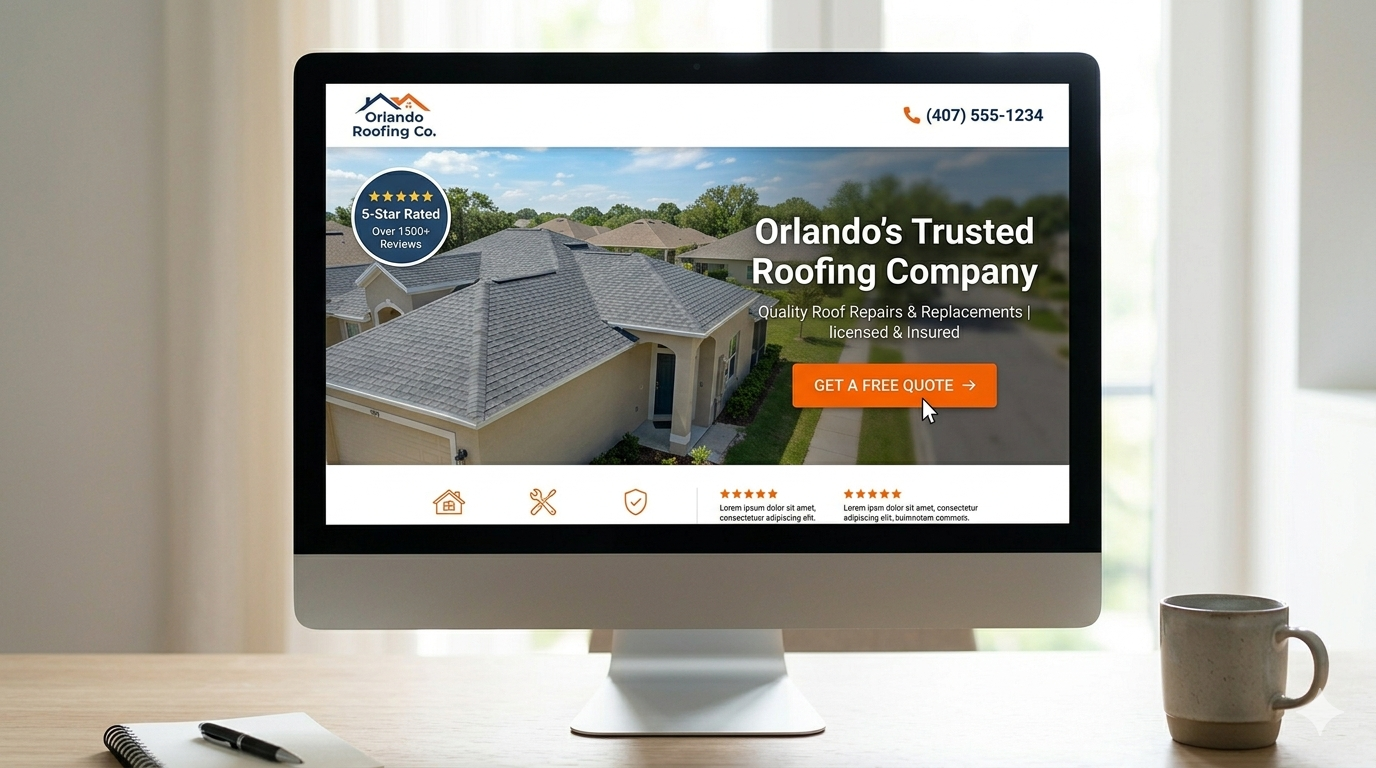
Design is not just aesthetics. Design is trust.
When a visitor lands on a website with outdated fonts, clashing colors, blurry stock photos, or a layout that looks like it was built in 2012 — they make a subconscious judgment about your business. If the website looks low-quality, the assumption is that the service is too.
This is especially damaging for service businesses because you're often asking someone to let you into their home or invest significant money in a project. The website is frequently the first impression you make. First impressions are nearly impossible to undo.
Signs your design is hurting you:
- The site looks visually outdated compared to your competitors
- Stock photos are generic, small, or obviously not your actual work
- Colors and fonts are inconsistent across pages
- There's no clear visual hierarchy — everything looks equally important
- The site doesn't look good on newer, larger screen sizes
What strong service business design communicates:
- Professionalism and attention to detail
- That you take your business seriously
- That you invest in quality — which is exactly what you're asking clients to do
Your website is the first thing a prospect judges you by. If it doesn't reflect the quality of your work, you're losing the sale before the conversation starts. See how we build websites that build trust and convert leads.
Reason 7: Missing Local Signals
For service businesses with a defined service area, your website needs to clearly communicate where you work.
If a homeowner in a specific neighborhood can't immediately tell whether you serve their area, they'll move on to someone who makes it obvious. Uncertainty kills conversions.
What local signals to include:
- Service area pages — A dedicated page for every major city or area you serve. Not just a list — a full page with relevant local content.
- Location mentioned in headlines — "Orlando's Trusted Landscaping Company" signals relevance immediately.
- NAP in the footer — Name, address, phone number on every page. This also supports your local SEO rankings.
- Embedded Google Map — A map on your contact page showing your location and service area.
- Local references in content — Mentioning neighborhoods, landmarks, or community references reinforces geographic relevance.
Missing local signals don't just hurt conversions — they hurt your local search rankings too. Your website and your local SEO work together. Weak location signals on-site undermine everything you're doing to rank in Maps.
If you're also struggling to rank in Google Maps, your website may be the root cause. Find out why your business might not be showing up in local search.
How to Know If Your Website Is the Problem
Run through this quick diagnostic:
If you answered no to three or more of these, your website is actively costing you leads.
What a High-Converting Service Business Website Actually Looks Like
It's not the most beautiful website. It's not the most complex.
It's a website that does its job — turning visitors into leads.
The fundamentals:
- Fast — loads in under 2 seconds on mobile
- Clear — the visitor knows what you do and where within 5 seconds
- Trusted — reviews, credentials, and real photos build confidence
- Easy to contact — phone number always visible, form always accessible
- Local — signals clearly where you serve
- Built to rank — structured for search engines as well as humans
Every decision — from the headline to the button color to the page structure — should be made in service of one goal: getting the visitor to contact you.
That's the standard we build to at Craft + Code. See our web design work and how we build for service businesses.
Your Website Should Be Working For You
A great service business website isn't a cost. It's the best salesperson you'll ever have — working around the clock, never taking a day off, and sending you qualified leads while you sleep.
If yours isn't doing that right now, it's time to change that.
Start a project with Craft + Code →
In Orlando and want to see what we've built for local service businesses?
See our Orlando web design work →
Related Posts:
- Local SEO for Service Businesses: The Complete Guide
- Why Your Service Business Isn't Showing Up on Google Maps
further reading